




The answer is yes, but there are real limitations worth knowing before you set anything up.
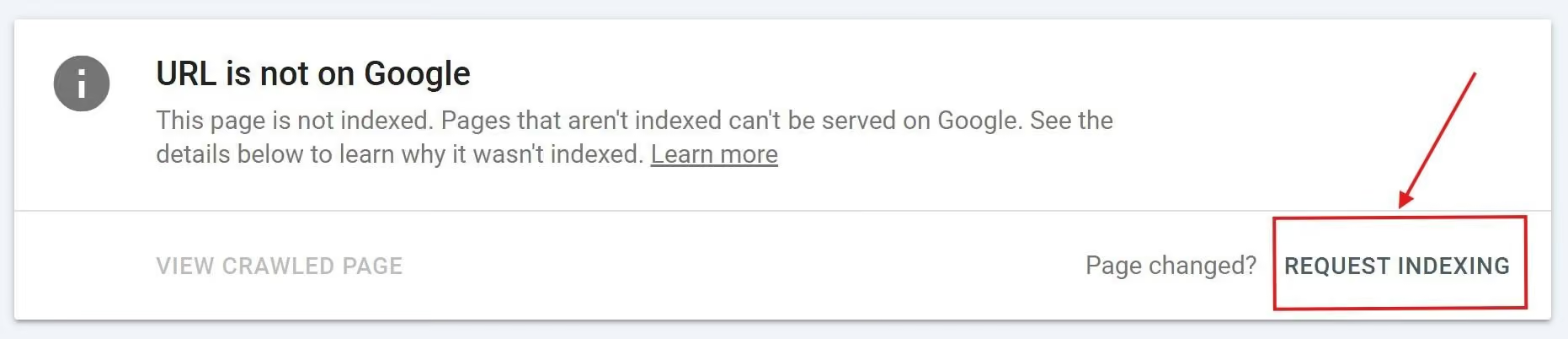
What Google Actually Controls
Google has undisclosed daily limits on how many indexing requests it will process. Hit the cap and you wait until the next day. There is no workaround.
More important: submitting a URL does not mean Google will index it quickly. Google's manual submission is rate-limited to only a few URLs at a time and is not designed for large-scale or continuous updates. Even when URLs are submitted, indexing can still take days or weeks.
The submission is a signal, not a guarantee. If your site is new, low-authority, or has thin content, no tool changes that. Automation helps you stay on top of the queue. It does not bypass how Google makes indexing decisions.
Option 1: Build Your Own Automation Using the GSC API
This is the most reliable method and the one we recommend for clients publishing frequently.
The workflow looks like this: a new page is published in your CMS, a trigger fires, and an automated request is sent to the Google Search Console API. No manual step required.
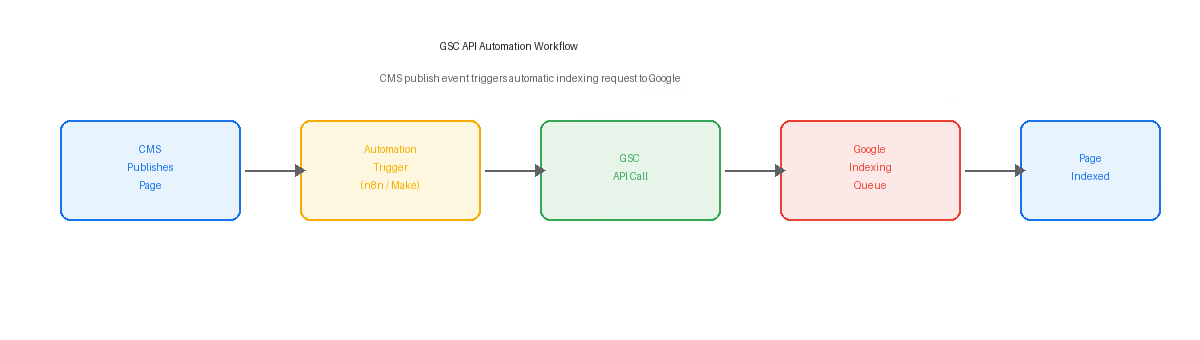
What you need to set it up
- Google Search Console API credentials (a service account with access to your property)
- An automation layer: n8n, Make, Zapier, or a custom script
- A CMS that can emit a webhook or trigger on publish
The development work is real. But once it runs, it runs without intervention. For Webflow sites, we set this up as part of the Growth Management retainer. If you are publishing new pages regularly, it is worth the one-time setup.
The GSC API is free to use. You only pay for the automation platform you choose to run the workflow. n8n and Make both have free tiers that cover low-to-medium publishing volumes.
Option 2: Third-Party Indexing Tools
There are several services that handle the API calls for you, so you do not need to build anything custom. They connect to your Search Console account, monitor your sitemap or accept URL submissions, and submit indexing requests on your behalf.
How they all work
All of the paid tools use the same underlying mechanism: the Google Search Console API. The API is the only direct line to Google's index. Any tool claiming a proprietary shortcut to Google should be treated with skepticism.
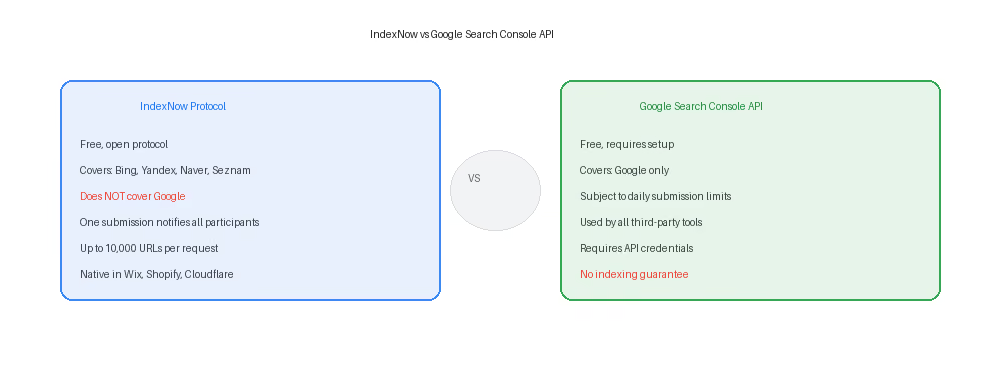
IndexNow is a separate open protocol developed by Microsoft Bing and Yandex. It lets you submit URLs to multiple search engines with one request. As of 2026, Google has not adopted IndexNow. Most paid tools combine both protocols.
Third-party tool comparison
The table below covers the main options. A few things to know before choosing one.
Note: All paid tools use the Google Search Console API under the hood. Google does not guarantee indexing speed regardless of submission method.
If you are evaluating paid tools, start with free trials and check whether the tool offers credit refunds for URLs that do not get indexed within the promised window. Results vary widely based on site authority and content quality.
What to Do Right Now
If you are on a Webflow site and publishing content regularly, the fastest path is this:
- Submit your sitemap in Google Search Console if you have not already.
- Use the manual "Request Indexing" button in the URL Inspection tool for high-priority pages.
- Consider a third-party tool if you publish frequently and want the process handled automatically.
- If you want a fully automated setup connected to your CMS publish workflow, that requires building or configuring the GSC API integration.
Need help setting this up for your Webflow site?
Automated indexing is part of what we configure within the Rapid Fire Growth Management retainer. Get in touch and we will handle the setup.