




This is an honest opinion of our founder, Karina Demirkilic, on who actually gets value out of the Analyze add-on, and who's paying for a dashboard nobody opens. All screenshots in this article come from a real small-business project, used with the owner's permission. Any details that could identify the business have been blurred.
Our clients use different tools and apps to track, measure and analyze the website traffic. Webflow Analyze is one of the options on the table, and today I want to talk about it in detail, specifically focusing on answering the question: is it worth it for the small business?
Analyze is one of the easiest analytics tools to turn on that I've come across. It lives inside Webflow. A couple of clicks and it starts collecting data about your visitors. But "easy to turn on" and "worth having" are two different things, and the space between them is exactly where most small businesses get stuck.
We work with clients who run Analyze right now. Some pull real value out of it. Some might as well not have it installed. The difference has almost nothing to do with the tool — and almost everything to do with two things: how much traffic a site gets, and whether anyone is actually reading what the data says.
So let me walk through what Analyze does, where it earns its place, and where I think a small business is quietly paying for a screen no one logs into.
This is my opinion, based on what I watch happen across accounts. Not advice. Your situation is your own.
What Webflow Analyze actually does
Facts first. Here is what you get when Analyze is running on a Webflow site.
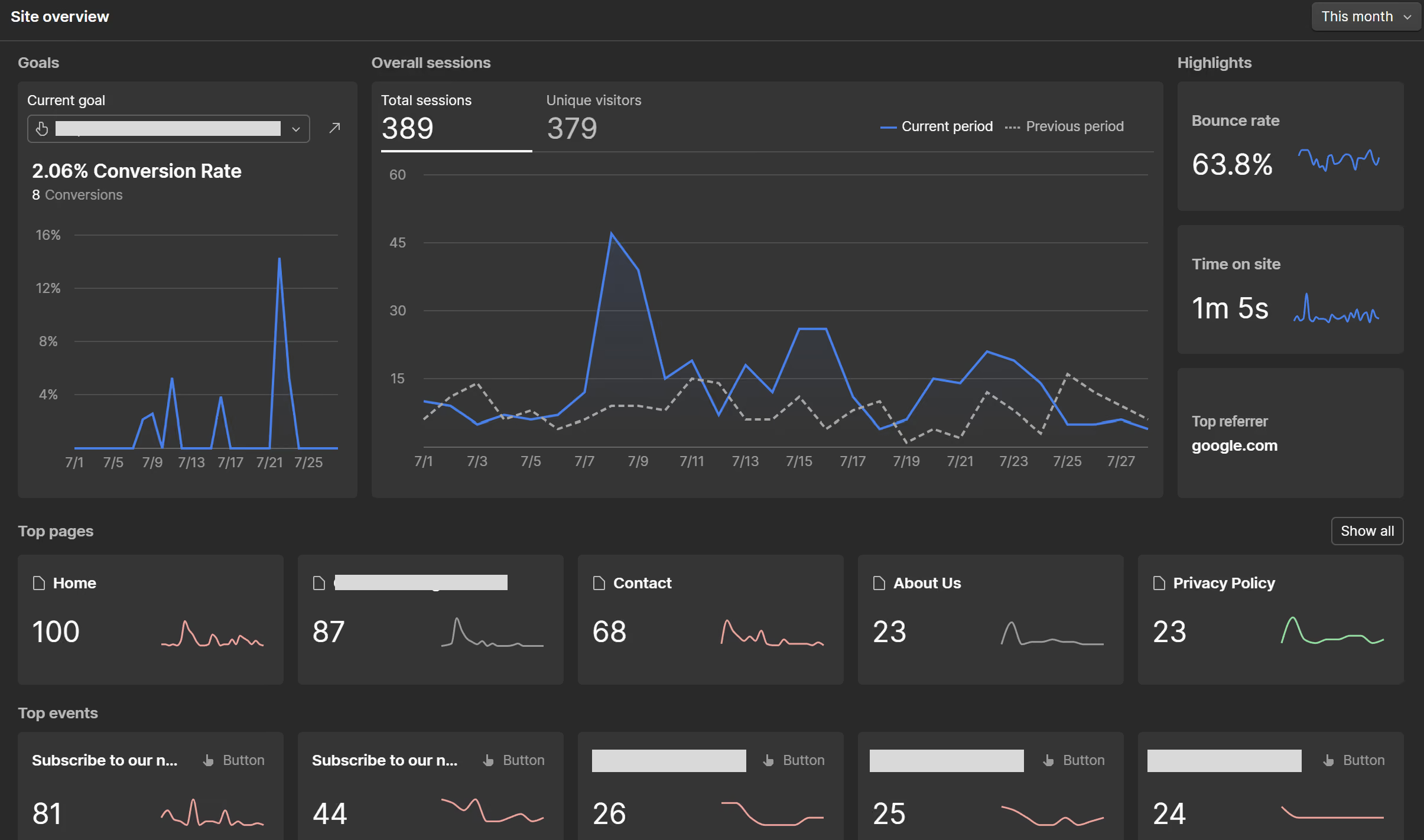
- Native, no-code analytics inside Webflow. Everything lives under the Insights tab in your site. No second platform, no toggling between tools, no separate login for the marketing person.
- Cookieless, first-party tracking. The base data is collected without third-party cookies. This matters more than it sounds, and I'll come back to it.
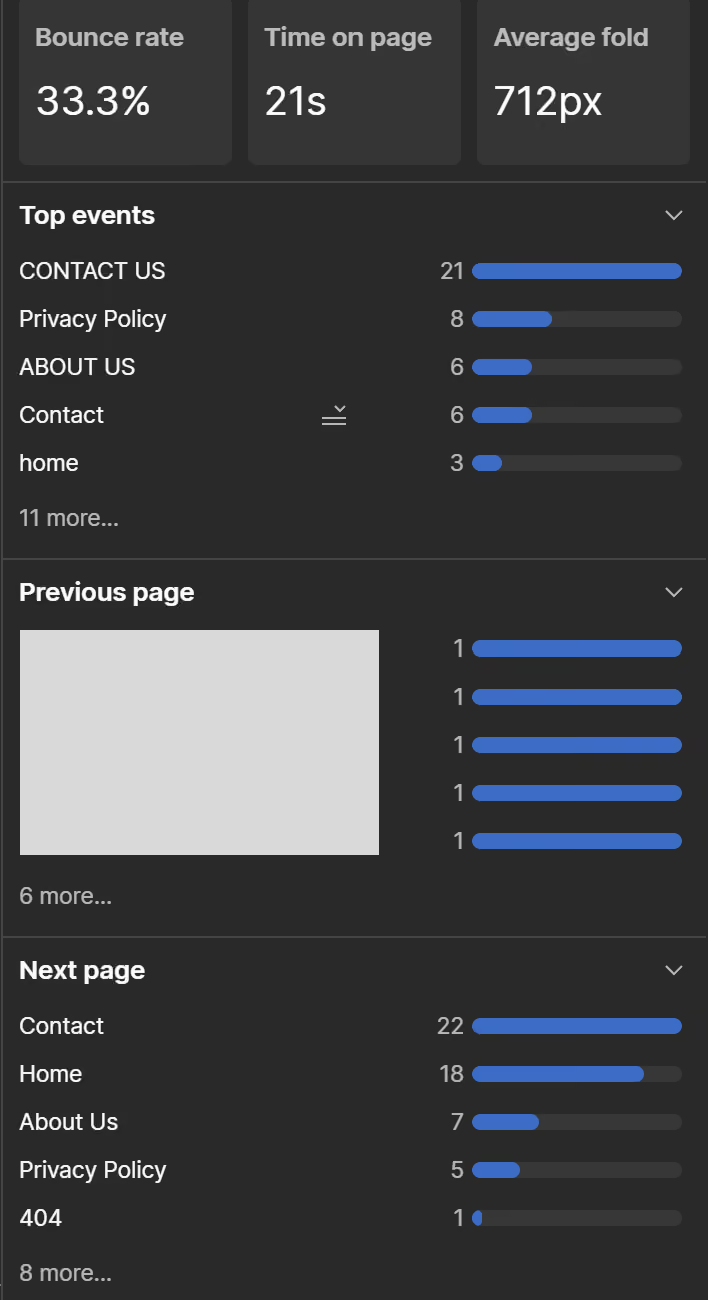
- Site overview. Sessions, users, and pageviews over the date range you choose.
- Pages view. Your top pages ranked by traffic, plus per-page performance and time on page.
- Visitor behavior. Where people come from (traffic sources), what device and browser they use, and their general location.
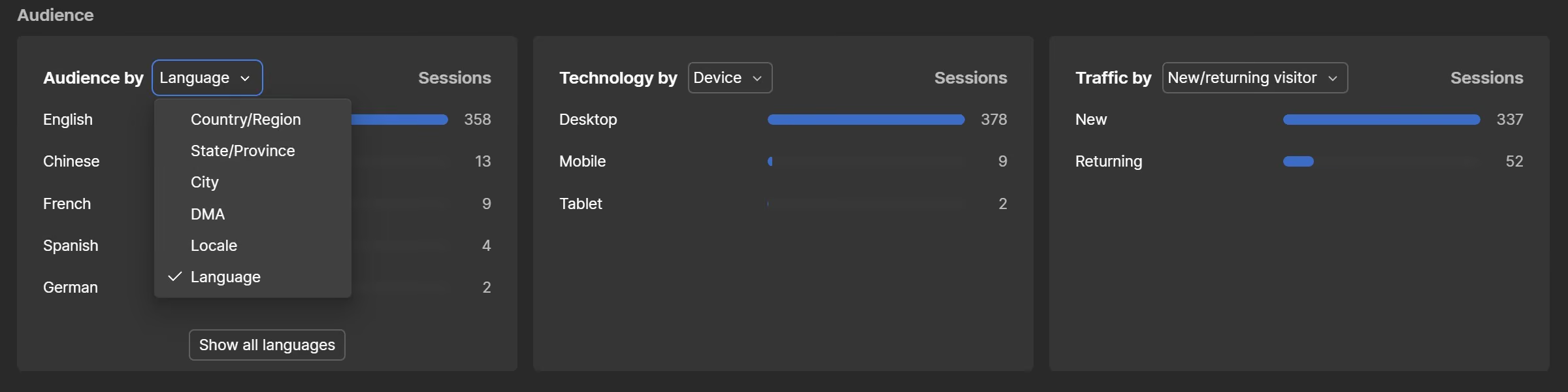
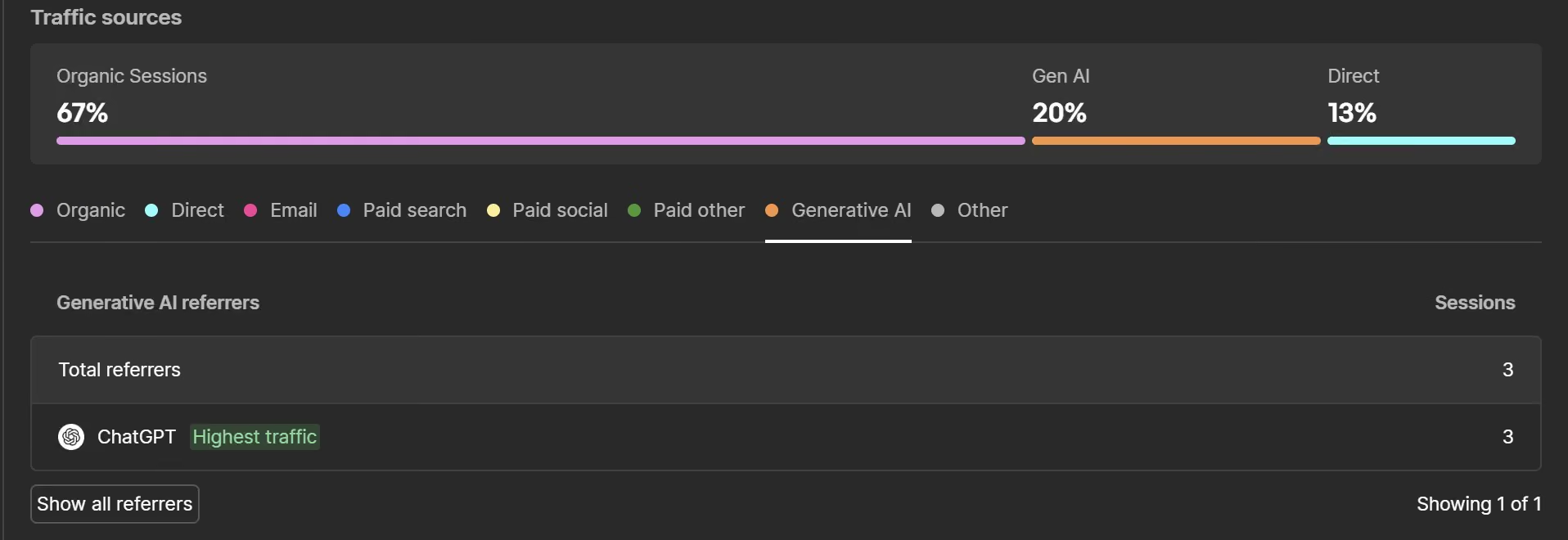
- Traffic sources — including a Generative AI source. Organic search, direct, organic social, email, and a dedicated bucket for visitors referred by AI tools. More on this below.
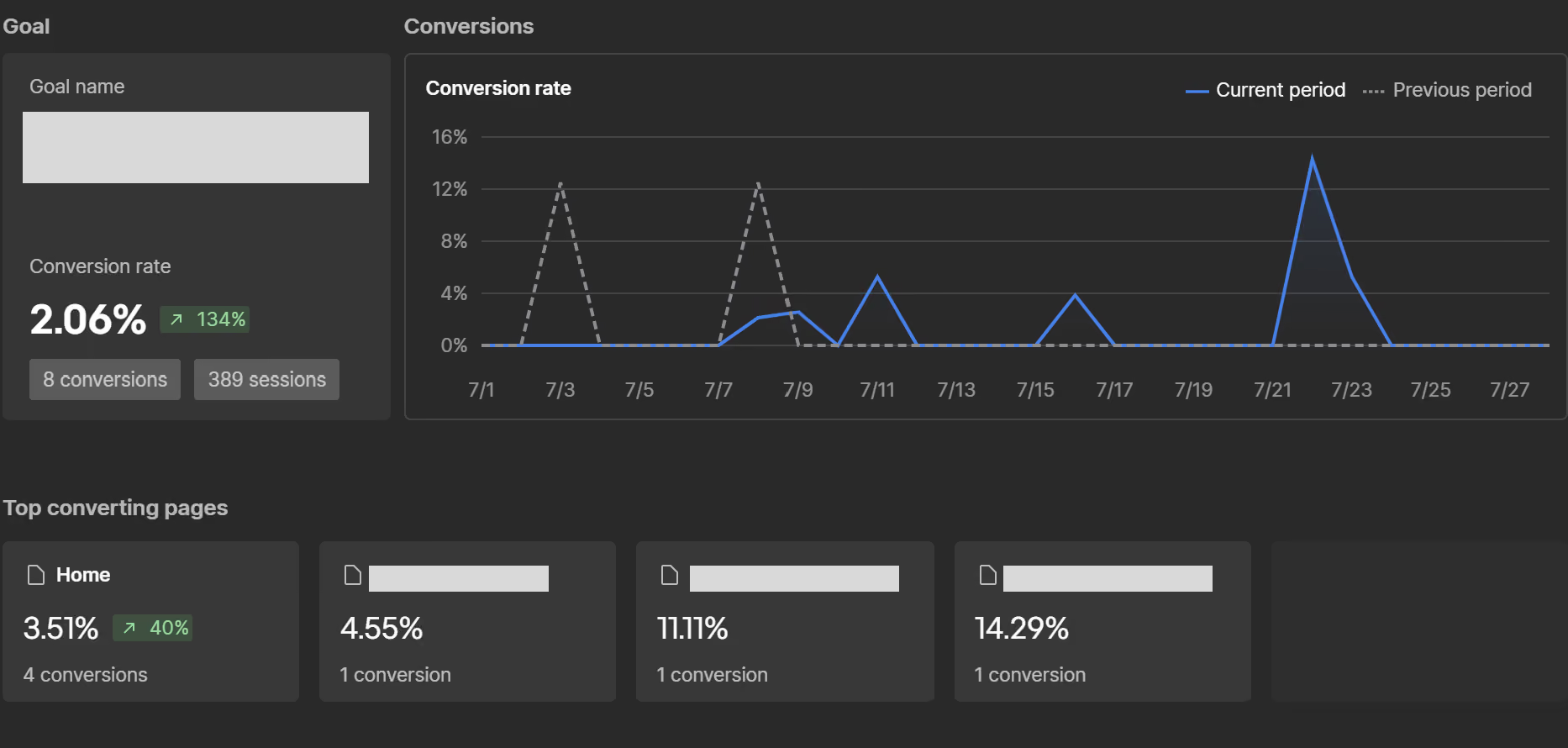
- Goals and conversion tracking. You define what counts as a win — a form submission, a button click, a visit to a thank-you page — and Analyze tracks completions across every source.
- Event tracking. Button clicks, form-field interactions, and other on-page actions.
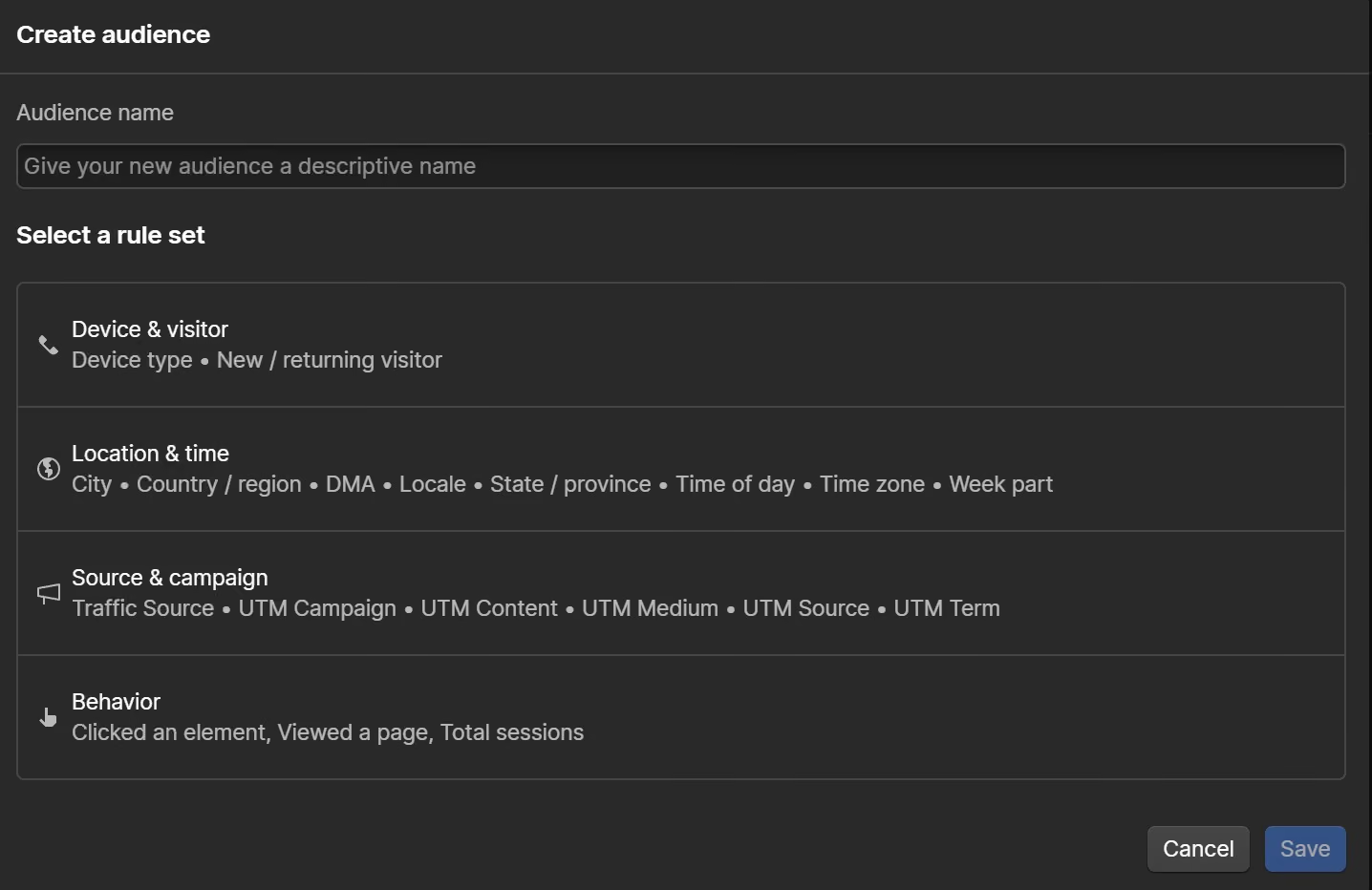
- Audiences. Filter and save visitor segments, then view any report through that lens. This is the newest piece, and my favorite.
- AI discovery / AEO analytics. How AI tools cite you, which LLM bots crawl you, and how AI-referred humans behave once they land (requires Team or Enterprise site plan)
- Analyze mode. A page-level, visual overlay so you can read behavior directly on the design.
- CSV export. Pull goal and traffic data out to drop into a slide or a client report.
- Data warehouse exports. For teams that want it, daily exports into BigQuery, Snowflake, or Redshift.
- An Analyze API. Read your analytics programmatically if you have someone who wants to build on top of it.
My personal favourite: Audiences
If I'm showing a client one recent feature, it's this one. Webflow added Audience filters and Saved Audiences to Analyze on March 9, 2026, and it's the difference between looking at a single blurry average and actually seeing your site.
Here's what I mean. "200 people visited the pricing page" tells you almost nothing. "Mobile visitors from the US who came from ChatGPT spent twice as long on the pricing page as everyone else" tells you what to do next.
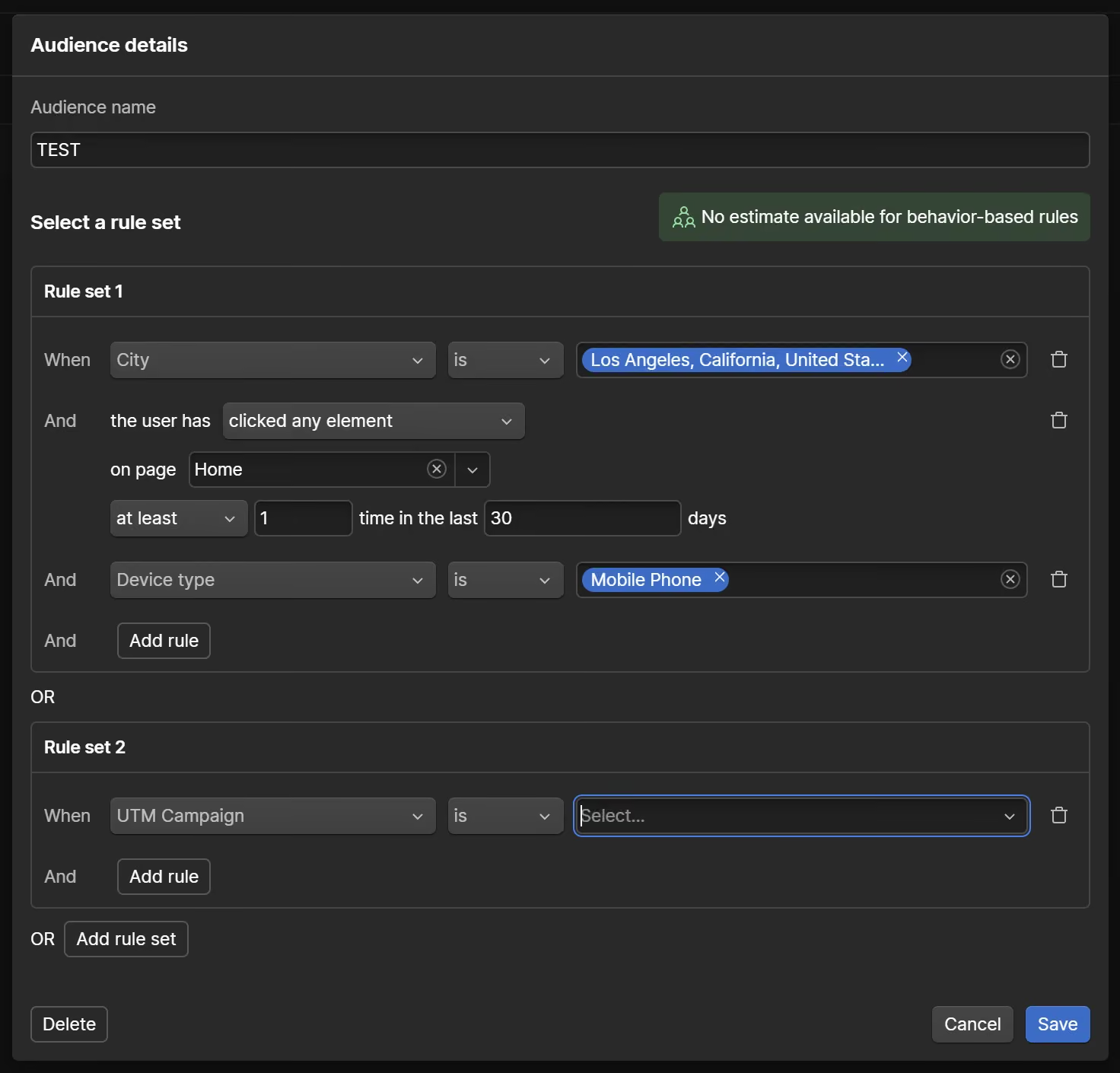
You get default segments out of the box, and you can build custom ones. Applied across your goals and pages, audiences are where the data stops being a vanity number and starts being a decision. But — and you'll notice this is a theme — someone has to actually build and read them.
Setting it up is the easy part
Turning Analyze on is genuinely simple.
You buy the add-on (a Workspace admin has to do this), enable site tracking, pick how you want tracking to run, publish the site, and the data starts flowing. That's it. It's built into the platform you already use, so there's no script to paste, no tag manager to wrestle with.
And this is the honest advantage: the barrier to starting is almost zero.
A word on consent, because it's not optional
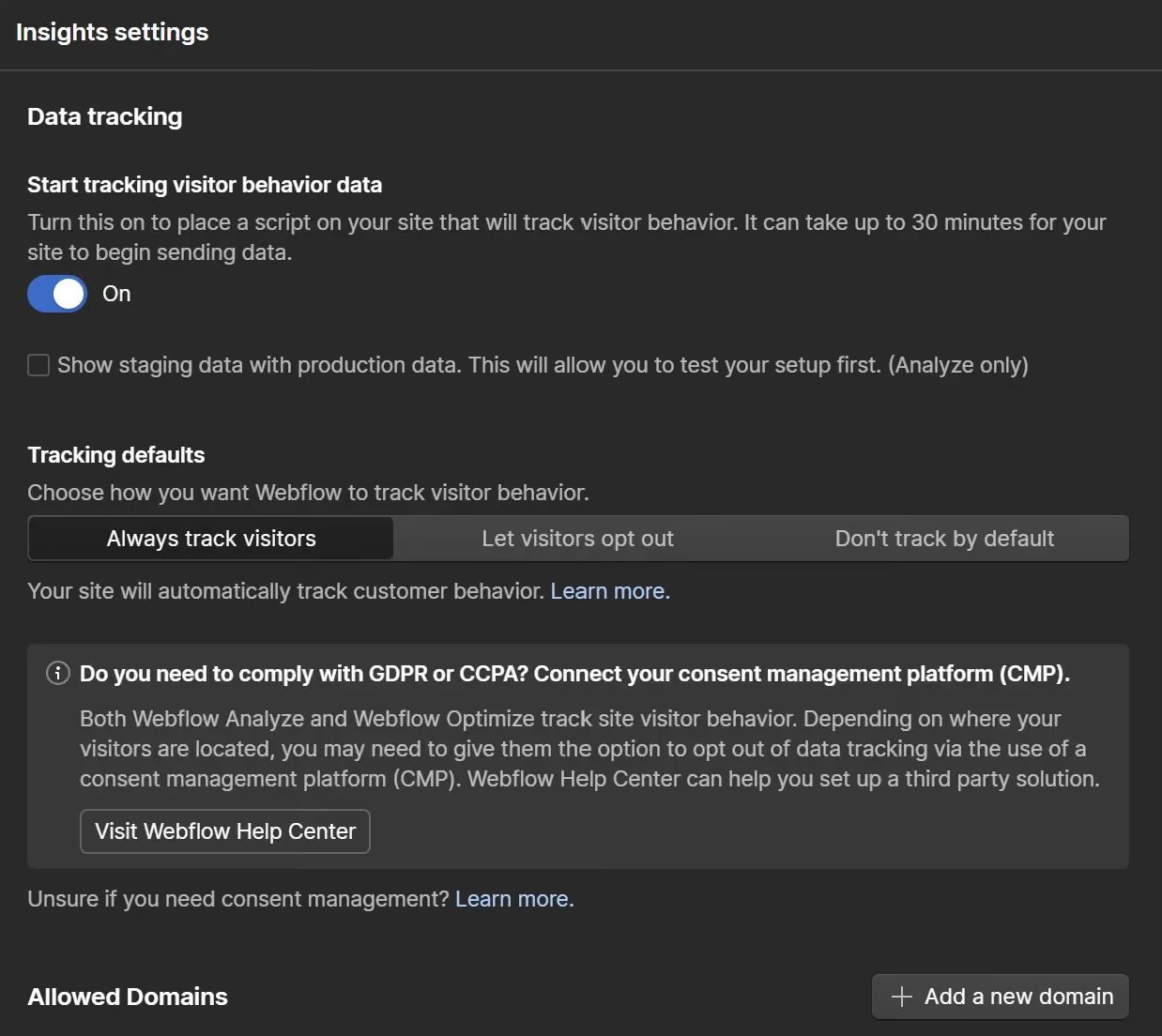
One setup choice deserves attention, especially if you have European visitors. Analyze lets you choose how tracking behaves: track by default, let visitors opt out, or don't track anyone by default until they opt in.
If you pick either of the opt-out or opt-in modes, you'll need a consent management tool wired up — otherwise Analyze won't function the way you expect. And Webflow is clear that deciding your tracking policy, and staying compliant with laws like GDPR and CCPA, is your responsibility as the site owner, not theirs.
The cookieless base collection makes Analyze lighter-touch than a typical Google Analytics setup on the privacy front. It does not make compliance someone else's problem. Know which mode you're in, and know your jurisdiction.
Caveat one: the setup that matters isn't the easy one
Here's the first real problem. The basic setup — the one that takes two clicks — is not the setup that gives you anything worth acting on.
Left alone, Analyze shows you traffic. Visits, sources, pages, time on page. Interesting, but thin. It tells you what is happening and almost nothing about why it matters to your business.
To get past that, you need two things configured properly: conversion goals and audiences. Goals connect site activity to outcomes you actually care about. Audiences let you see which kinds of visitors drive those outcomes. This is not hard for someone who knows analytics. It is completely opaque to a busy founder who has limited knowledge of SEO.
That's the first place you need an expert.
By the way, Aanalyze will show you something increasingly useful — the visitors AI tools are sending you.
Webflow now identifies human visits referred by tools like ChatGPT, Claude, Gemini, and Perplexity and groups them under a Generative AI traffic source, using referrer and UTM patterns to spot them.
I like this feature though I have concerns about its reliability (but I have those for all AI traffic measuring tools). AI-referred visitors tend to arrive already researched and close to a decision. Seeing them as their own segment is genuinely valuable in 2026 — if someone is looking.
And then the part everyone skips: acting on it
Say you've done it right. Goals set, audiences built, AI traffic flowing into its own bucket. You still have the hardest job left.
Someone has to read the data, form a view, and do something about it.
The goal you set isn't being hit — why? Conversions dropped on the pricing page — what changed? AI traffic is landing but leaving — is the page answering the question they arrived with? None of that answers itself. It takes a person who knows what they're looking at, and who has the time to look regularly.
This is where I watch small businesses fall down. Not because they're not smart. Because the owner is running the business, and reading an analytics dashboard every week is a real job that competes with every other real job on their desk.
So it gets skipped. The data piles up. Nobody acts.
If that's your situation, this is the part to hand to a freelancer or an agency. It's the piece with the least glamour and the most value.
Caveat two: small traffic, small payoff
Now the caveat nobody wants to hear.
If your site gets very little traffic, Analyze can't help you much — no matter how well it's configured. Analytics needs volume to be trustworthy. With a trickle of visitors, you don't have enough events, enough segments, or enough repeat behavior to see a real pattern. You have noise.
In my experience, the tool starts to earn its keep around 5,000 visitors a month. At that point you have enough data to see distinct audiences, meaningful events, and behavior worth acting on.
Below 1,000 visitors a month, acting on the data is very hard. You'll stare at swings that are just randomness wearing a trend's clothing.
The exception that flips the math: campaigns
There's one situation where my "small traffic, not worth it" verdict softens, and it's worth naming clearly.
If you run campaigns, Analyze gets a lot more useful — fast.
Here's why. A campaign is a deliberate push: a newsletter blast, a paid ad, a launch announcement, a partner posting your link. You control the link people click to get in. And when you control the link, you can tag it.
That's what UTM parameters are for. They're small labels you add to the end of a URL so your analytics knows where a visit came from. Three do most of the work: utm_source (where it's coming from, like newsletter or linkedin), utm_medium (the type, like email or paid), and utm_campaign (the specific push, like spring_launch). Two more, utm_content and utm_term, let you split individual links or paid keywords apart when you want that detail.
Tag your campaign links and Analyze stops guessing. It groups every incoming visit by exactly which campaign, source, and medium sent it — and you can filter any report down to a single campaign. Pair that with a goal, and you're not just counting clicks. You see that the spring email drove 400 visits and eleven quote requests, while the paid ad drove 90 visits and two.
Now you know where your money and your hours actually went.
And here's the part that ties straight back to the traffic problem. A campaign concentrates traffic into a short, measurable window with clean attribution. You don't need a big, steady stream to read it. You need one focused push, tagged properly, pointed at a goal.
That's when even a quiet site gets a straight answer out of Analyze. If you're going to run campaigns anyway, the tool goes from "nice to have" to genuinely worth it.
"Is Webflow Analyze better than Google Analytics?"
I get asked this constantly, and it's not a clean yes or no.
Google Analytics, set up properly, gives you a deeper read on traffic and user behavior than Analyze does. That's true, and I won't pretend otherwise. But Analyze has real advantages, and they're not small ones.
It's easier to set up. It syncs natively to Webflow, so connecting your project to your account is trivial. It gives clean, read-only access and does a lot of the analysis for you. Google Analytics can do plenty of that too, and it connects to the wider Google ad ecosystem — but getting there is not a straightforward afternoon.
And there's the overwhelm factor. GA can bury a marketer in data. The richness is the point and also the problem. Analyze was built for simplicity, and it mostly keeps that promise. It probably won't overwhelm anyone.
There's also a pairing worth naming. GA works best next to Google's own optimization stack. Analyze works best next to Webflow Optimize, its A/B testing sibling. They're two brothers that back each other up — one tells you what's happening, the other lets you test a fix.
So it's not "better." It's a different trade: less depth, far less friction.
So — is it worth it?
Here's my opinion, and it's only that.
Webflow Analyze probably isn't worth it for a small business with light traffic, no campaigns and no one to work the data. The tool will run beautifully. It will collect faithfully. And it will sit there, unread, a tidy dashboard measuring a site too quiet to have much to say.
But flip either of those conditions and my answer flips with it. Real traffic plus someone who sets up goals and audiences and actually reads them every week? Now it's one of the easiest, cleanest analytics setups you can put on a Webflow site.
So don't ask "is Analyze good." It is. Ask the two questions that decide it for you: Do I have enough traffic to see a pattern? And is anyone going to read this?
If the answer to the second one is no, you don't need a better tool. You need a person. Monitoring and reporting is part of Rapid Fire’s Growth Management offering. Contact us today to start a conversation.