




What every Webflow website owner needs to know about accessibility guidelines — and why they matter for your business.
If you've heard the term 'WCAG' but aren't sure what it means — or why it matters for your website — you're not alone. Most business owners and marketing teams encounter web accessibility as a topic only after a problem arises. This guide changes that.
Here, we break down what WCAG is, how it's structured, what the key requirements look like in plain terms, and what you need to prioritise on your Webflow website to stay compliant and serve all of your visitors well.
1. What Is WCAG?
WCAG stands for the Web Content Accessibility Guidelines. It is an internationally recognised set of recommendations for making websites accessible to people with disabilities including those who are blind or have low vision, are deaf or hard of hearing, have motor impairments, or experience cognitive and learning differences.
WCAG is published by the World Wide Web Consortium (W3C), the main international standards organisation for the web. While it started as a technical document for developers, it has since become the benchmark referenced in accessibility laws around the world — including the ADA (Americans with Disabilities Act) in the United States, AODA in Canada, the European Accessibility Act, and many others.
In short: WCAG is the measuring stick regulators, courts, and accessibility auditors use to evaluate whether a website is accessible.
Why This Matters for Your Business
- Roughly 1 in 4 adults in the US lives with some form of disability. An inaccessible website excludes a significant portion of your potential audience.
- ADA-related website lawsuits have increased sharply year over year. Many businesses — including small ones — have faced demand letters and legal action over inaccessible sites.
- Accessibility improvements often align with better SEO, faster load times, and improved usability for all visitors.
2. The Four Core Principles: POUR
WCAG is built on four foundational principles, often referred to by the acronym POUR. Every guideline within WCAG maps back to one of these principles.
Think of POUR as the 'why' behind every individual guideline. When something fails an accessibility check, tracing it back to one of these four principles helps clarify the impact on real users.
3. WCAG Versions: Which One Applies to You?
WCAG has gone through several versions since it was first published. Here's a quick overview of what each version introduced and where things stand today.
WCAG 2.0 (2008)
The first widely adopted version. Established the core POUR principles and the A / AA / AAA conformance levels. Many older legal references still point to WCAG 2.0.
WCAG 2.1 (2018)
Added 17 new success criteria to address mobile accessibility and users with cognitive or low-vision needs. This is the version most businesses are required to meet today, and the benchmark referenced in most current legal actions and government guidance.
WCAG 2.2 (2023)
Expanded further with 9 new criteria focused on keyboard navigation, authentication, and user interface focus visibility. WCAG 2.2 is now the current published standard, and adoption is accelerating.
Our recommendation: Aim for WCAG 2.1 Level AA as your baseline. If you're building or redesigning, factor in the 2.2 additions now — it's easier than retrofitting later.
4. The Three Conformance Levels
Within WCAG, every success criterion (an individual requirement) is assigned a conformance level: A, AA, or AAA. These levels reflect how critical the requirement is and how broadly it applies.
The standard most businesses need to meet is WCAG 2.1 Level AA. This covers all Level A and Level AA requirements combined — you don't skip A and jump to AA; you need both.
5. Key Requirements in Plain English
WCAG 2.1 Level AA contains 50 success criteria across 13 guidelines. Rather than list them all, here are the most commonly cited issues on business websites — explained in plain terms.
Images Need Descriptive Alt Text
Every meaningful image on your site should have a text description (alt text) that communicates its purpose to someone using a screen reader. Decorative images should be marked as such. In Webflow, alt text is set directly in the Asset Manager or image settings panel.
Text Must Have Sufficient Colour Contrast
There must be a high enough contrast ratio between text and its background so that people with low vision or colour blindness can read it. The minimum ratio for normal text is 4.5:1, and 3:1 for large text. This is one of the most common failures on business websites — especially sites using light grey text on white backgrounds.
Your Site Must Be Keyboard-Navigable
Every interactive element — links, buttons, forms, menus — must be reachable and usable with a keyboard alone, without a mouse. This matters for users with motor impairments and is also a requirement for screen reader compatibility.
Forms Must Have Visible, Associated Labels
Every form field needs a visible label that is programmatically associated with the input. Placeholder text inside the field does not count as a label. Webflow's form components support proper labelling, but this needs to be set up correctly.
Links and Buttons Need Descriptive Text
Avoid links or buttons that say only 'click here,' 'read more,' or 'learn more.' Screen readers often navigate by listing all links on a page, and those labels become meaningless without context. Use descriptive text like 'Download our accessibility guide' or 'View our pricing plans.'
Videos Need Captions
Any pre-recorded video with audio must include accurate captions. Auto-generated captions from platforms like YouTube or Vimeo are a starting point, but they often contain errors and may not meet the standard without review.
Page Titles and Headings Must Be Meaningful
Each page needs a unique, descriptive title (the text that appears in the browser tab). Headings (H1, H2, H3, etc.) should be used in logical order — not chosen for visual style, but to reflect the actual hierarchy of your content.
Quick Note on Webflow
Webflow gives you good control over most of these requirements — alt text, heading structure, form labels, and ARIA attributes are all configurable.
However, accessibility doesn't happen automatically. Webflow's designer interface requires intentional decisions at each step.
A Webflow site built without accessibility in mind can fail WCAG just as easily as a site built on any other platform.
6. What Level AA Compliance Looks Like in Practice
Meeting WCAG 2.1 Level AA doesn't require a complete redesign of your site — for most business websites, it means addressing a specific set of issues and building better habits going forward. Here's what that involves:
WCAG 2.1 AA — Core Areas to Address
✓ All images have meaningful alt text (or are marked decorative)
✓ Text contrast meets 4.5:1 minimum throughout the site
✓ All interactive elements are reachable by keyboard
✓ Form fields have visible, associated labels
✓ Links and buttons use descriptive, contextual text
✓ Videos include accurate captions
✓ Page titles are unique and descriptive
✓ Heading structure (H1–H6) is logical and consistent
✓ Error messages are clearly identified and easy to understand
✓ No content flashes more than three times per second
✓ Language of the page is declared in the HTML
✓ Site can be used with browser zoom up to 200% without loss of content
7. How to Test Your Site Against WCAG
No single automated tool catches every WCAG issue — most tools identify around 30–40% of failures. A thorough audit combines automated scanning with manual review.
Automated Testing Tools
- WAVE (wave.webaim.org) — A free browser extension that highlights accessibility issues directly on your web page. Good starting point for any website.
- Axe DevTools — A browser extension that integrates with Chrome DevTools. More technical, but highly accurate and widely trusted.
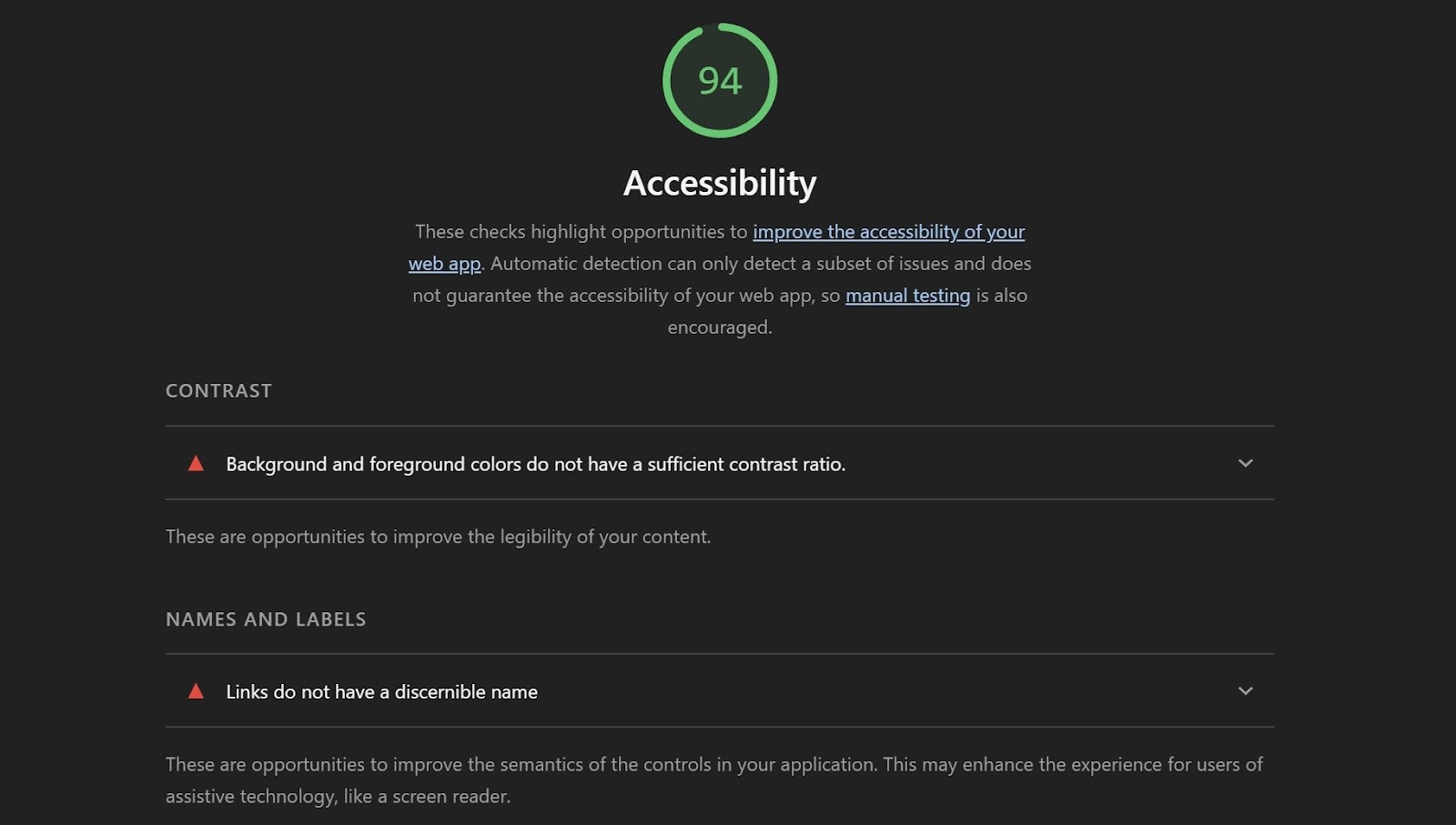
- Google Lighthouse — Built into Chrome DevTools. Includes an accessibility score alongside performance and SEO metrics.
- Colour Contrast Analyser — A free desktop tool from TPGi that lets you test any two colours for contrast ratio compliance.
Manual Testing
Automated tools can't catch everything. Manual testing should include:
- Navigating your entire site using only the keyboard (Tab, Shift+Tab, Enter, Space, arrow keys)
- Testing your site with a screen reader — NVDA (free, Windows), JAWS (Windows), or VoiceOver (built into Mac and iOS)
- Reviewing heading structure and reading order
- Checking that error messages are descriptive and clearly associated with the relevant fields
8. Accessibility Is an Ongoing Process
One of the most important things to understand about WCAG compliance is that it isn't a one-time task. Websites evolve — new pages are added, content is updated, design changes are made. Each of those changes is an opportunity to introduce new accessibility issues.
The most effective approach treats accessibility as a standard part of your content and development workflow — not a separate audit that happens once a year.
For Webflow users: every time you add a new section, image, form, or CMS collection, it's worth doing a quick accessibility check before publishing. Small habits compound into a more accessible site over time.
Key Takeaways
WCAG is the international standard for web accessibility, and the benchmark most laws reference.
WCAG 2.1 Level AA is the target most businesses should be working toward.
The four POUR principles (Perceivable, Operable, Understandable, Robust) underpin every requirement.
The most common failures involve alt text, colour contrast, keyboard navigation, and form labels.
Automated tools are a useful starting point — but manual testing is essential for a complete picture.
Accessibility is an ongoing practice, not a one-time fix.
Need an accessibility audit for your Webflow site?
Rapid Fire Web Studio offers accessibility and usability reviews, remediation, and ongoing support for Webflow websites. We help business owners and marketing teams build sites that are inclusive, legally sound, and better for everyone. Contact Rspid Fire to discuss your digital presence.